Beta Portal + Even Hub Companion for Even Realities G2

Turn stream-of-consciousness into organized action.

Record naturally, even if you ramble. Sensemaker captures voice on your glasses and turns it into people, projects, places, actions, due dates, tags, and relationship signals in a living map of your world. As you add context and review suggestions, matching and drafting improve over time.

MCP integration badge MCP integrations
Note: The main product path is Portal plus the Even Hub companion app. Self-host, MCP, and local ingest remain available for advanced setups.
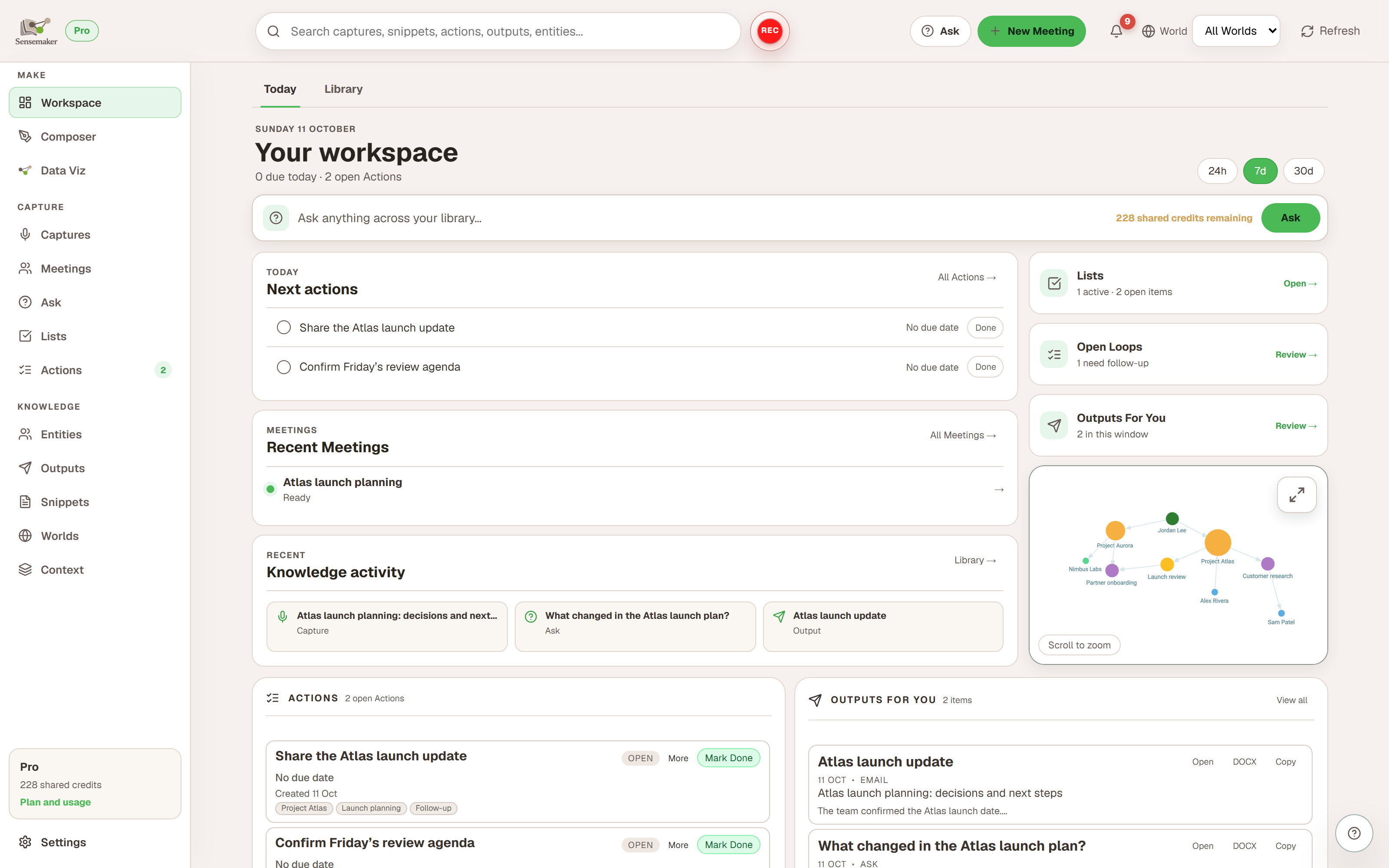
Workspace
Window: 24h - All Worlds

Outputs spotlight

Follow-up email
Type: Email
new
Meeting recap
Type: Doc
ready

Open Loops

Ask Danielle
Question - high signal
focus
Pick a date
Decision
loop

Active Guidance

Fundraising week
Prioritize fundraising-related captures
active

Built for momentum: capture fast, then make it actionable.

Sensemaker is designed for imperfect, human audio. You can record a stream of thoughts, and the system will extract structure: a graph of entities and relationships, a queue of actions, durable info snippets, tags, and outputs you can use right away. Open Loops surface the follow-ups that matter most.

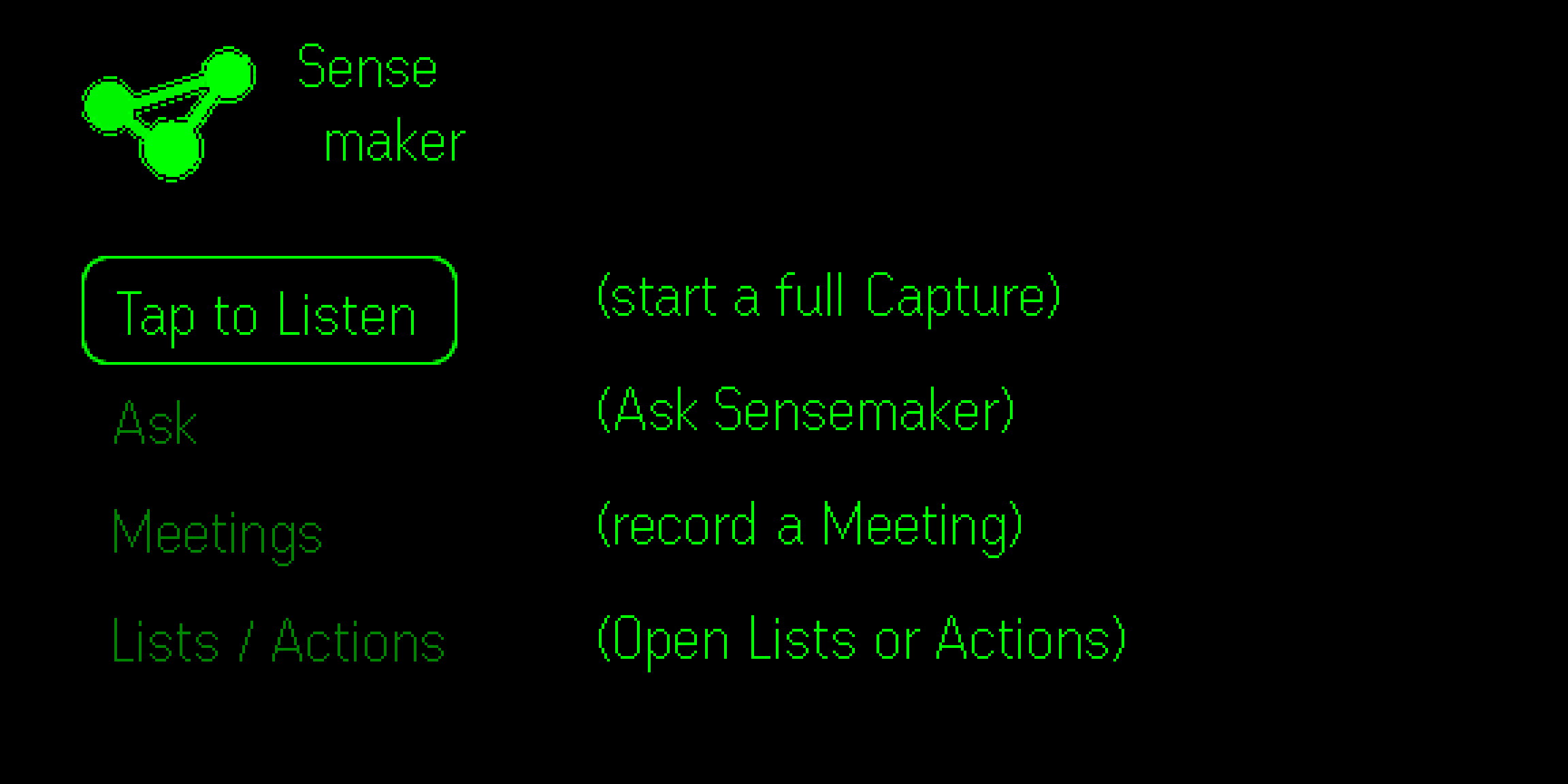
Capture on G2

Low-friction voice capture via Even Realities G2 microphones with ring-first navigation.

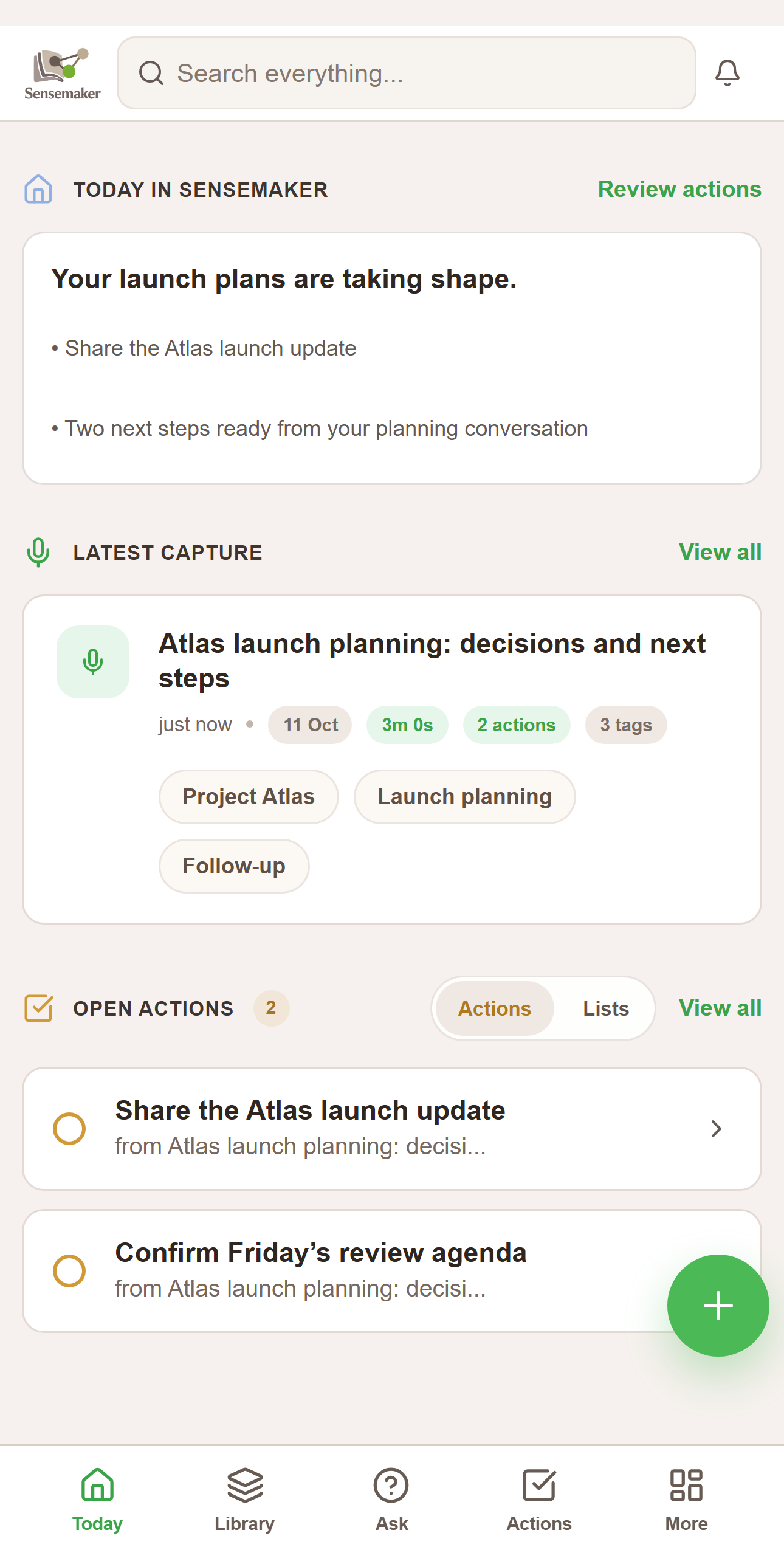
Review in Portal + Companion

Workspace, captures, actions, entities, outputs, Composer, worlds, and settings built for fast cleanup, drafting, and follow-through.

AI processing layer

AI-first extraction with deterministic guardrails turns messy speech into reliable structure and usable drafts.

For more, see the Features page.

How it works

Speak naturally. Sensemaker turns each capture into a transcript, extracts structure, and drafts outputs you can actually use.

1
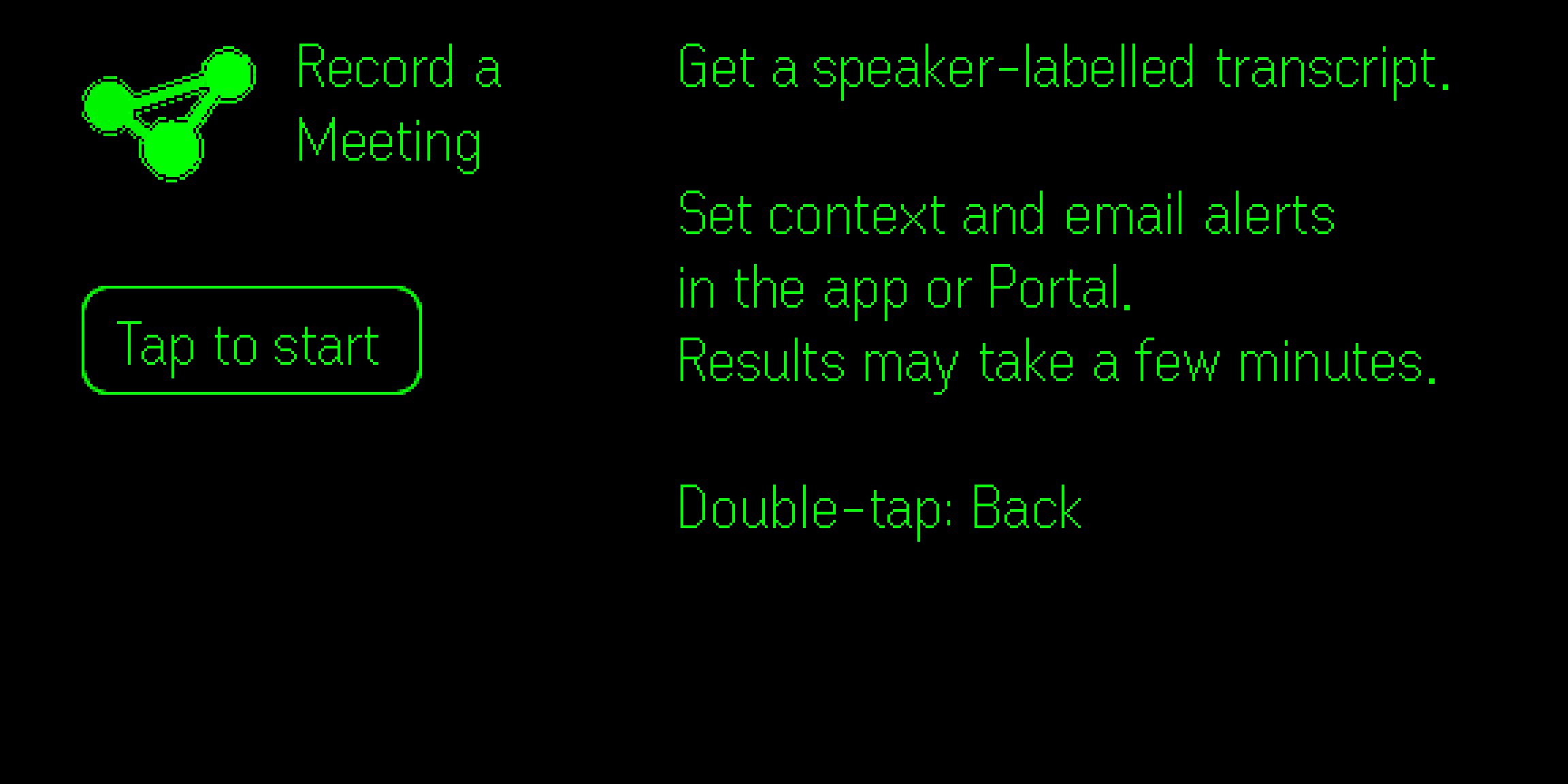
Record a capture Use G2 + ring to record your voice notes. Long or short, structured or messy.
2
Transcribe + summarize Transcript stays the source of truth. Summaries highlight what matters.
3
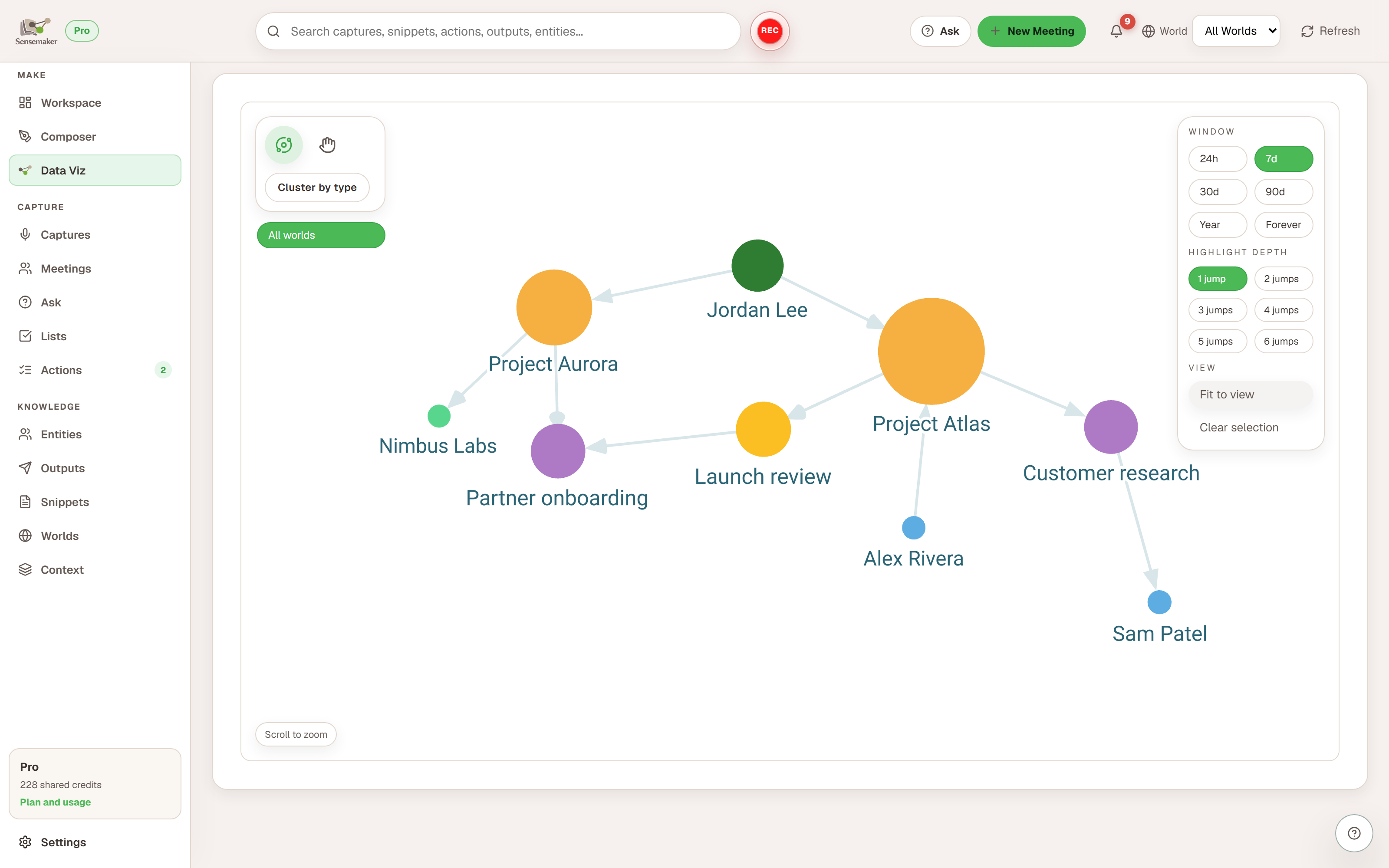
Extract structure Entities, relationships, tags, actions, and snippets create a navigable map of your world.
4
Generate outputs Draft contextually-accurate emails/messages/docs so "talking" turns into "shipping".
5
Resolve Open Loops High-signal follow-ups (questions, decisions, mismatches) surface in Workspace.
Sensemaker G2 demo showing the on-glasses flow.
For more, see the Features page.

Privacy and model usage

Sensemaker uses OpenAI models for transcription and processing. Hosted workspaces include 30 trial credits to help you get started, and you can add your own OpenAI API key in Settings at any time.

30 trial credits included

One trial credit covers one full Sensemaker processing run. After those credits are used, add your own OpenAI key in Settings to keep going.

Portal + companion first

The primary product path is the hosted Portal web console plus the Even Hub companion app for G2.

Optional self-host + MCP

Self-host and MCP are still available for advanced setups, but they are no longer the primary product story.

For more, see the Features page.

Get started: Portal + Even Hub companion

The recommended path is simple: create your account at portal.sensemaker-app.com, open the Sensemaker companion app in Even Hub with the same account, and launch Sensemaker on your G2 glasses. Self-host and MCP are still available as advanced options, but they are no longer the default way to get started.

First steps

1. Sign in at portal.sensemaker-app.com
2. Install or open Even Hub on your phone
3. Sign in to the Sensemaker companion app in Even Hub
4. Launch Sensemaker on your G2 glasses
5. Complete onboarding
6. Start capturing

After onboarding, you can always return to Portal for the full web console and re-run onboarding from Settings if needed.

Hosted workspaces include 30 trial credits. You can add your own OpenAI key in Settings right away if you want; Sensemaker uses trial credits first and switches to your saved key after they are exhausted.

If you prefer to run Sensemaker yourself, the self-host beta stack and MCP integration are still documented as advanced options.

For setup details and integration guides, start with the Docs. For quick start and account setup, see Portal + companion quick start and BYOK OpenAI. For MCP specifically, see MCP + OpenClaw and MCP + Claude Desktop.

Sensemaker G2 beta flow walkthrough.
For more, see the Features page.

FAQ

Quick answers to common questions.

Do I need an OpenAI key?

Not at first. Hosted workspaces include 30 trial credits. You can still add your own OpenAI key in Settings right away if you want, and Sensemaker uses trial credits first.

Where does my data live?

The main hosted lane stores your workspace in the hosted service. Advanced self-hosted setups are still available if you specifically want to run the stack yourself.

Is Sensemaker hosted?

Yes. The main product lane is hosted at portal.sensemaker-app.com, with the Even Hub companion app for G2.

Is there authentication / multi-user?

Yes. Portal and the companion app use sign-in, and workspaces support authenticated memberships.

Can I use Sensemaker without glasses?

Yes. Portal is still useful on its own for review, drafting, editing, Composer, Worlds, Context, Guidance, and Data Viz. Glasses are the fastest capture path, not the only way to work.

What is MCP for?

MCP is an optional integration surface for tools that can connect to your Sensemaker workspace. Hosted MCP is suited to read-only access from clients such as Claude Desktop and OpenClaw, while self-host MCP remains available for advanced local setups.

How does Sensemaker improve over time?

As you review captures, accept/dismiss suggestions, and add context, Sensemaker gets better at linking mentions to the right entities, stabilizing relationships, and drafting outputs in your preferred style.