
Set context
Add an agenda, participant names, related projects, or useful files.
Meetings
Record on G2 or in Companion. Sensemaker separates speakers and brings back concise notes, decisions, Actions, and open questions.
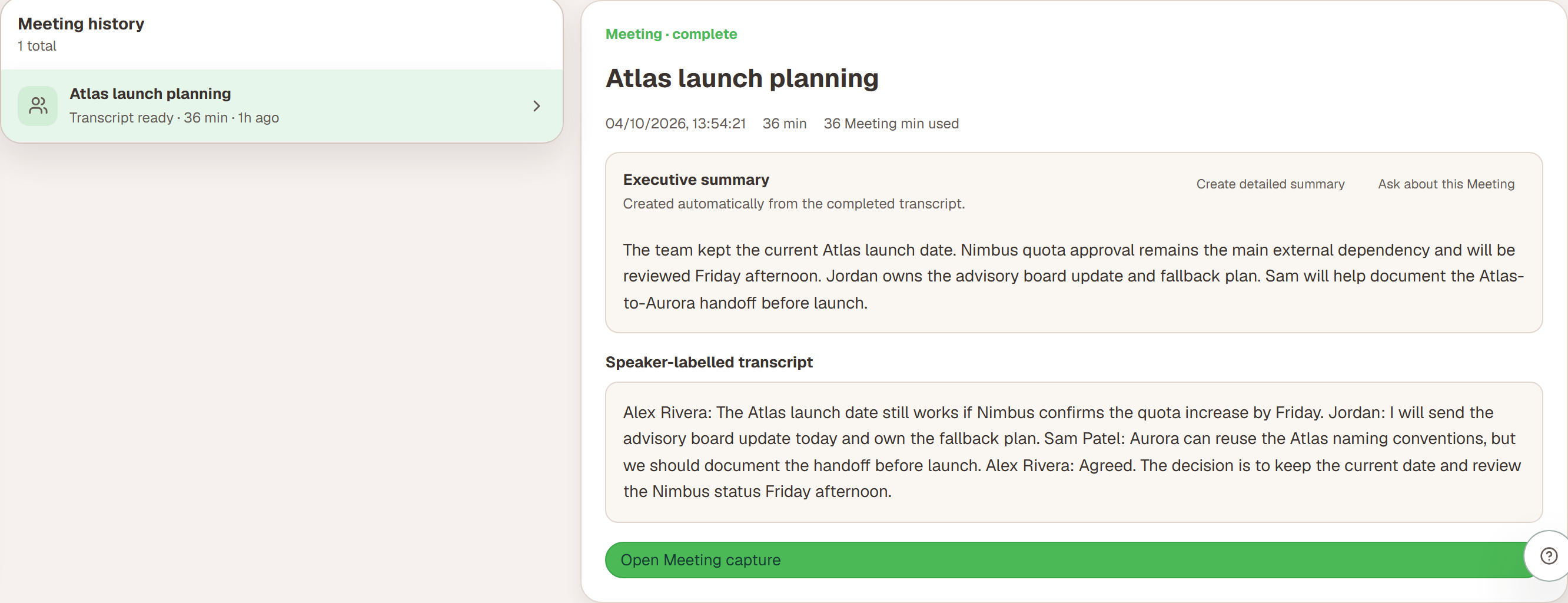
Designed for longer conversations
You can leave after submitting a Meeting. Return from Companion or Portal when the transcript and summary are ready.
Add an agenda, participant names, related projects, or useful files.
Start on G2 or in Companion, then pause, resume, or finish when you choose.
Sensemaker prepares the transcript and summary while you do something else.
Check speaker names, decisions, Actions, and open questions.
Follow who said what without reading an uninterrupted block of text.
Review and correct names after processing.
Keep useful follow-up connected to the source Meeting.
Start with a concise, information-dense summary of the completed Meeting.
Create a fuller account when you need more detail.
Ask for a specific analysis or output from the completed transcript.
Before recording
Include an agenda, participant names, related projects, or useful files before you start. Sensemaker uses that context to improve speaker names, transcript cleanup, summaries, and follow-up.
Set context in Companion or Portal, then start recording on G2.